
Thomas Blake Middle School
Medfield Public Schools (MA)


How to Use the Makerspace
Blaker
Makers
Boot Camp
Everyone needs time to get to know the Makerspace and explore the available materials, tools, and machines. Review the list of Boot Camp introduction lessons below and set up a time.
Collaborating
If you're looking to refresh Content topics or want to explore how to integrate computational thinking, virtual reality, 3D designing, invention literacy, problem-solving for Global Goals, etc. Then, reach out- there's so many possibliities!
Think:
Advisories
Exploration/ Labs Classes
Special Events or Topics/projects
All Blake Staff have been access to the MakerSpace Calendar. Visit the Calendar to view available times/dates. Then connect with Diane to discuss your ideas & plans and confirm your time in the Makerspace.
Ideas
Sometimes it's hard to know what your options are-- Check out the Project Gallery & the Make List for ideas or bring your own ideas to see how we can make it work!

Boot Camp Introductory Lessons
Describe the item and include any relevant details. Click to edit the text.
**8th Grade Only
Up your website creation skills by learning about creation, design & development to create your Blake Portfolio.

CardBoard Techniques
Don't sweat the technique- Learn how to attach and build with cardboard using limited glue & tape.

Physcial Computing: micro:bit

GlowForge it!
What is lasercutting? Learn to turn your drawings into an engraved design on wood or acrylic! It's that easy!
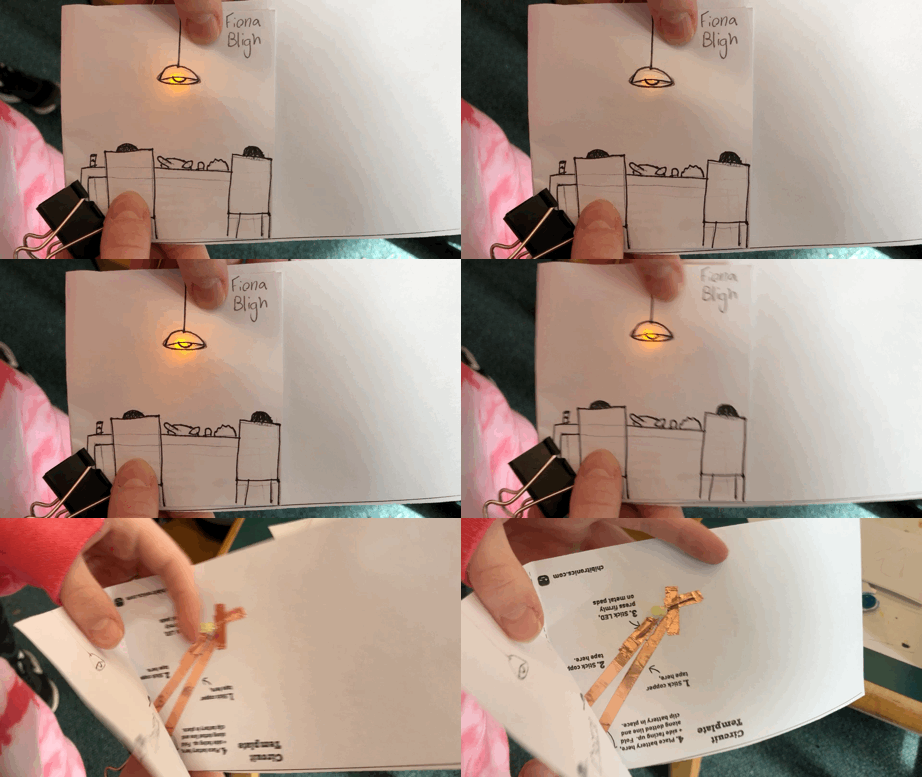
Paper Circuits

Cricut Machine
The Cricut Machine is the ultimate design tool to create decals, cards, collages, iron-ons and more!

Wix Website Development
The micro:bit is the latest cool coding device with an LED display, speaker/microphone, sensors and add motors to make a robot!